
Download Cricfy TV APK on Firestick For Free
You can install Cricfy TV on Firestick using the Downloader app in just a few minutes. Since Cricfy TV isn’t available on the Amazon Appstore, you’ll need to sideload the APK by enabling app installation from unknown sources.
The whole setup takes about five minutes with your Fire TV remote, no phone or computer needed.
| Compatible With | All Fire TV Stick and Fire TV Cube models |
| Install Method | Downloader app sideload |
| File Size | 17MB |
| Cost | Free |
| Login Required | No |
| Auto-Updates | No, manual reinstall needed for new versions |
How to Install Cricfy TV APK on FireTV
Step 1: Turn On Developer Options
Fire OS hides sideloading behind Developer Options, which needs to be turned on once.
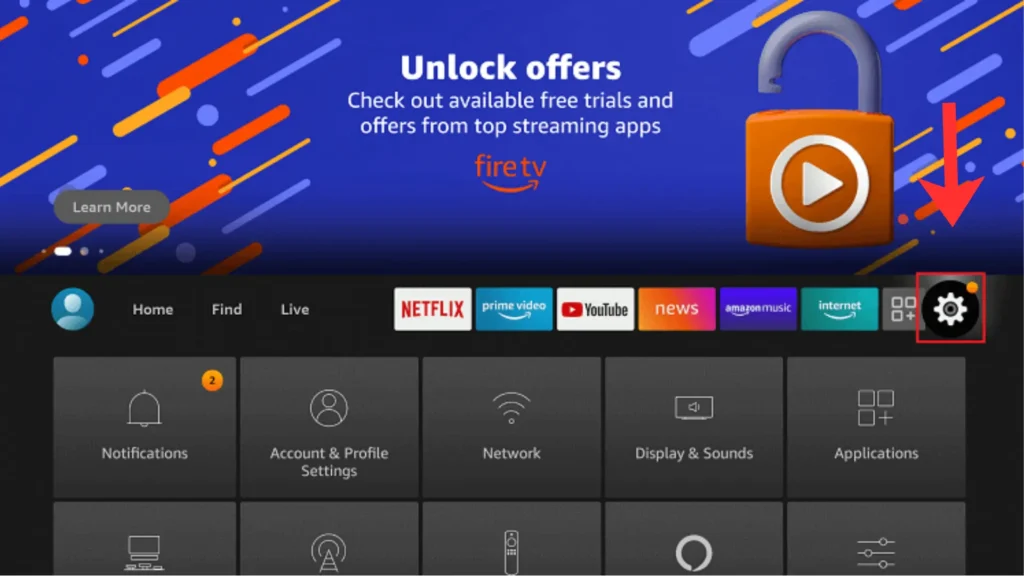
- Navigate to the Settings menu from the Fire TV home screen. You can find the gear icon in the top navigation bar.
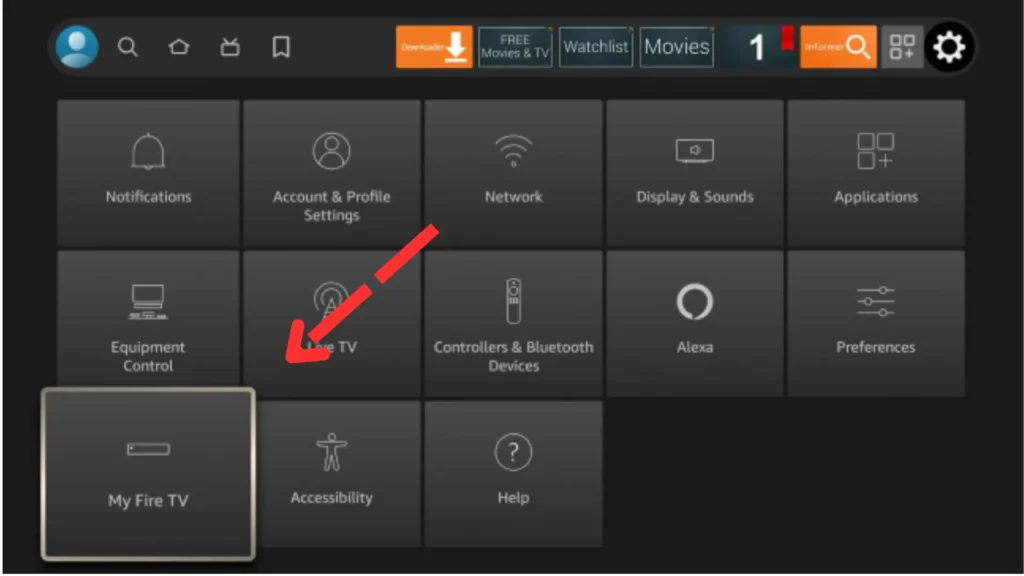
2. Select My Fire TV.
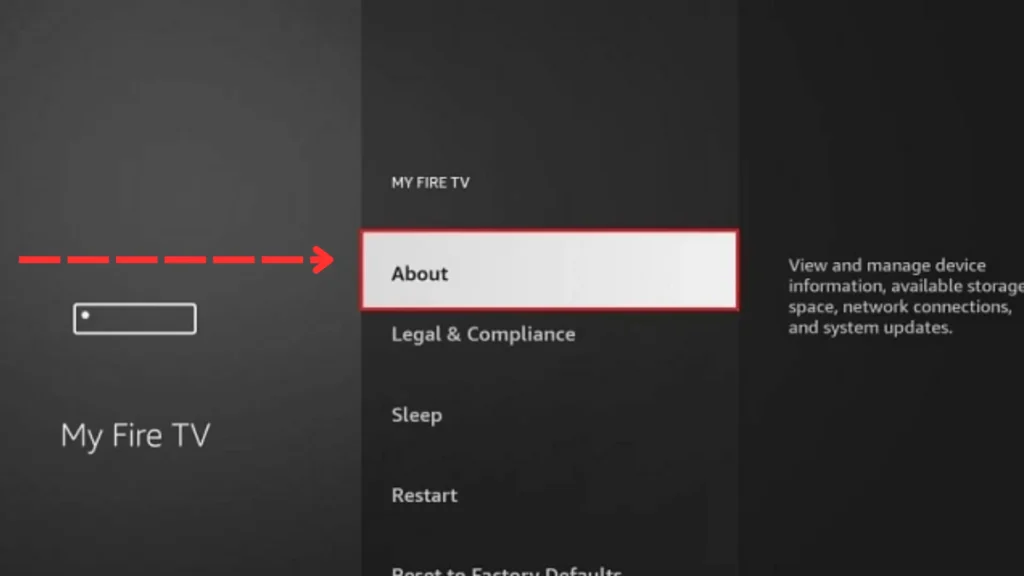
3. Click About to enable the developer option.
4. Press the About option several times until Developer Options becomes available. Stop clicking when you see a message: No need, you are already a developer“.
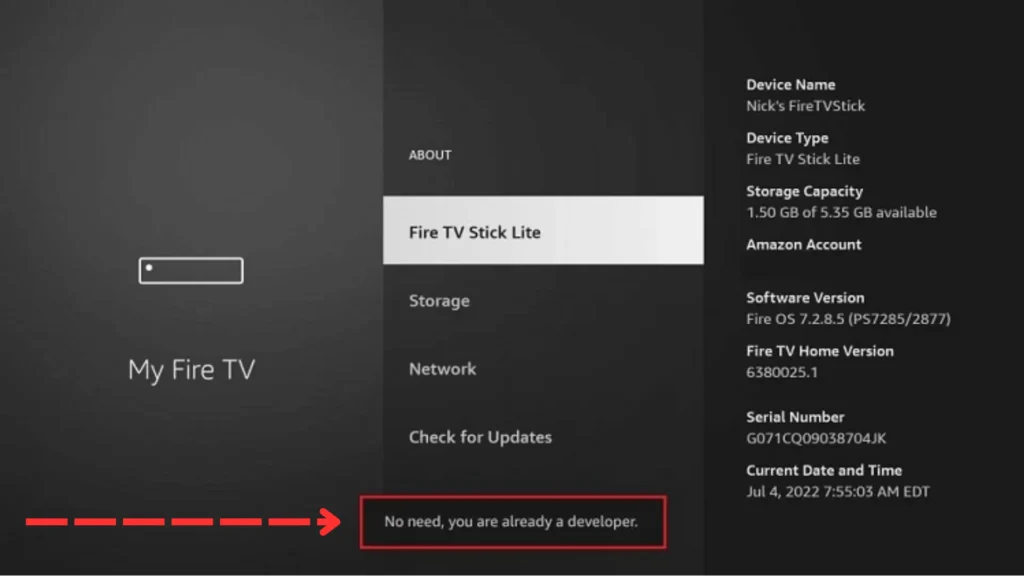
5. Now the Developer Option will appear on the same menue. Click it.
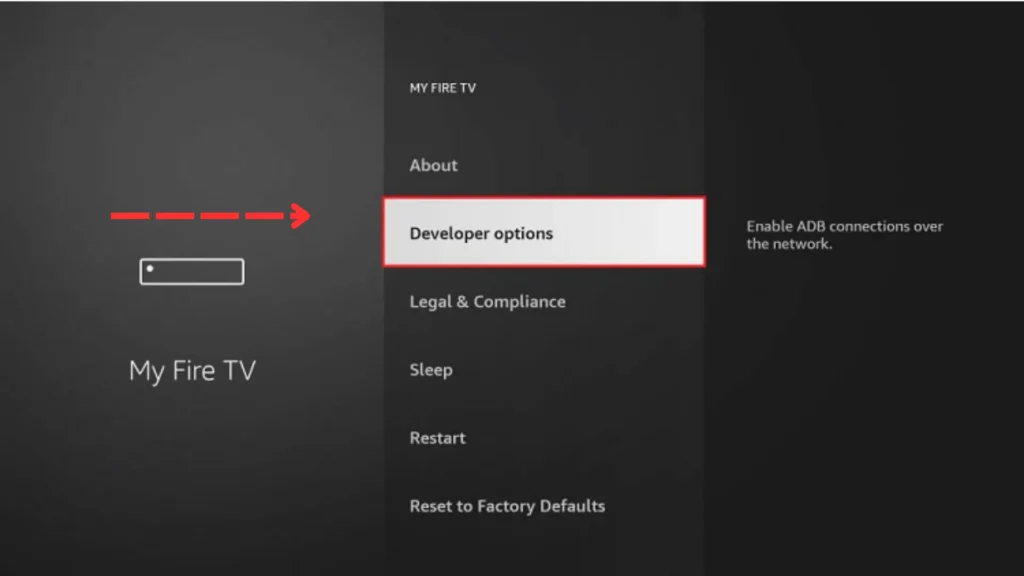
6. Enable Apps from Unknown Sources so Fire TV allows APK installations.
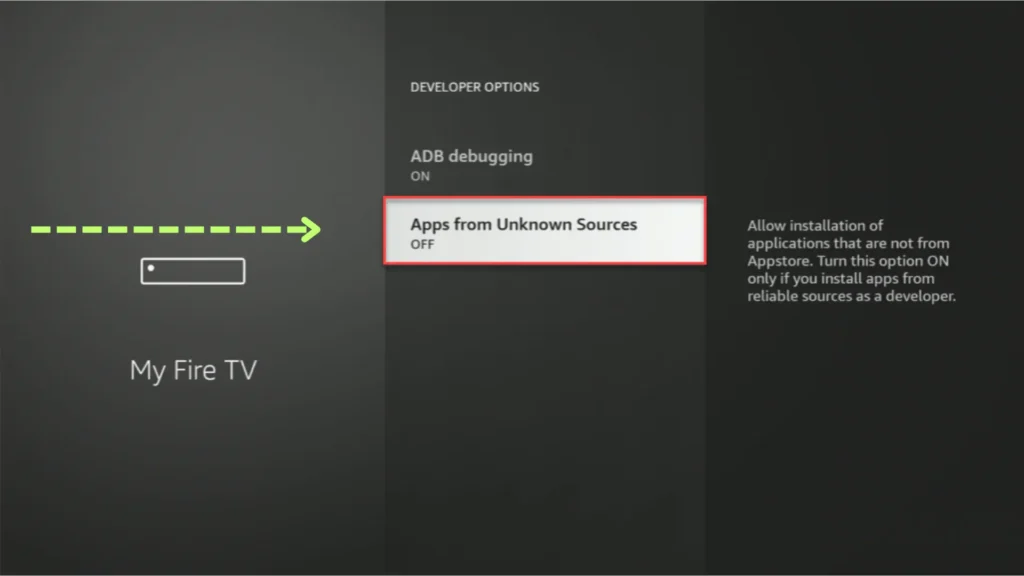
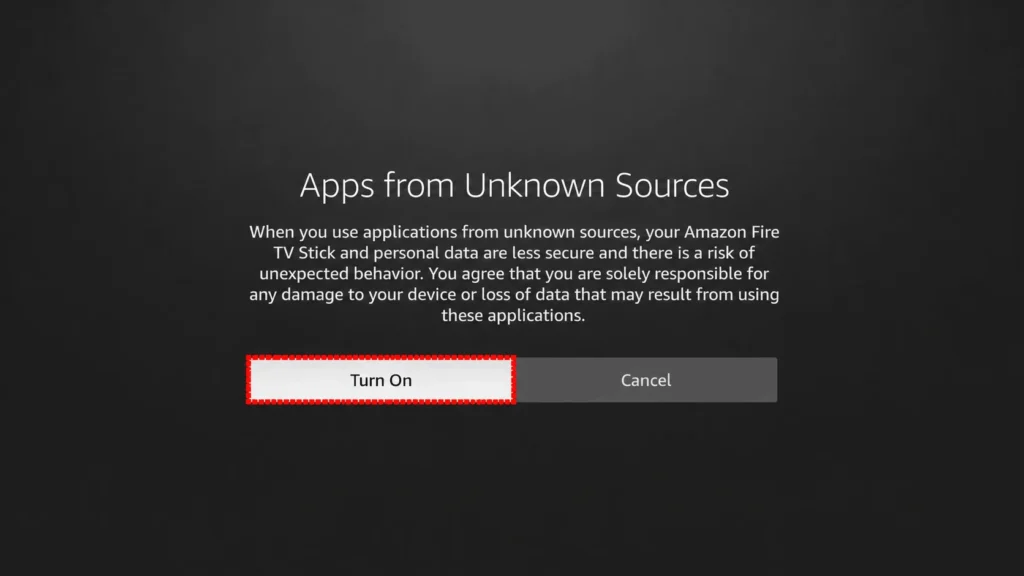
7. Turn On the option.
8. Press the Home icon on your remote to return to the Firestick Home menue. Click Find.
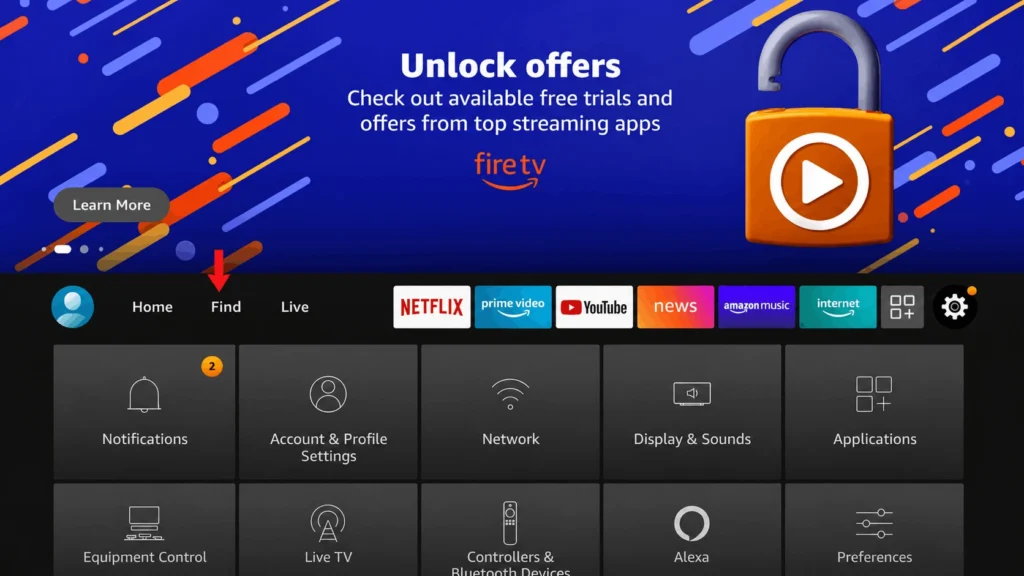
9. Select Search bar.
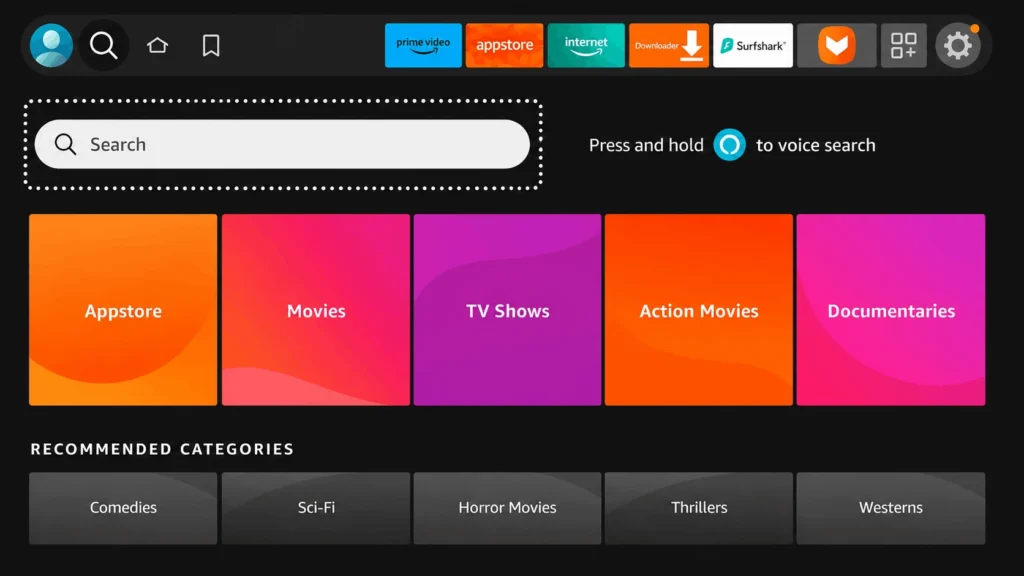
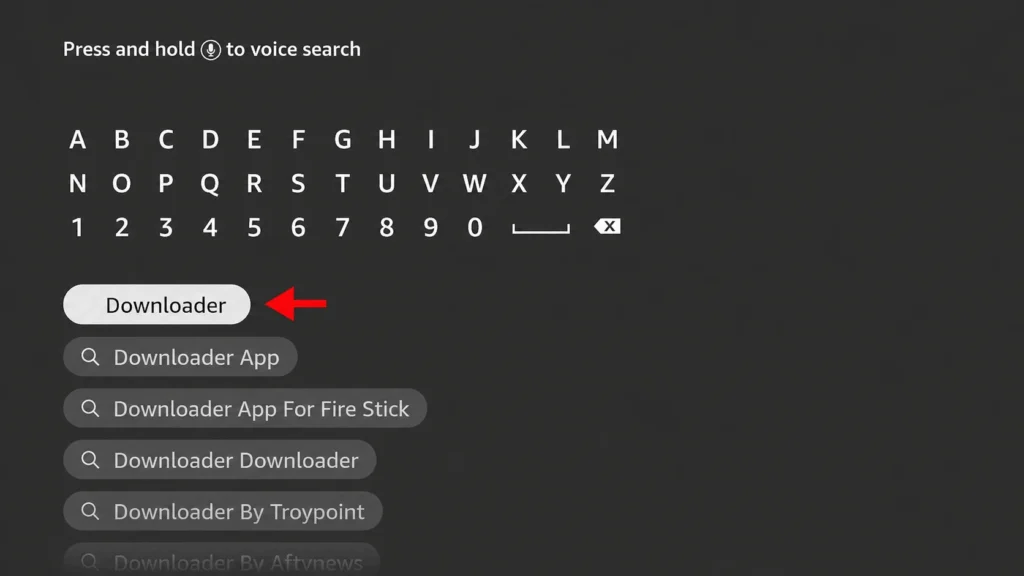
10. Type Downloader and select it from the search suggestions.
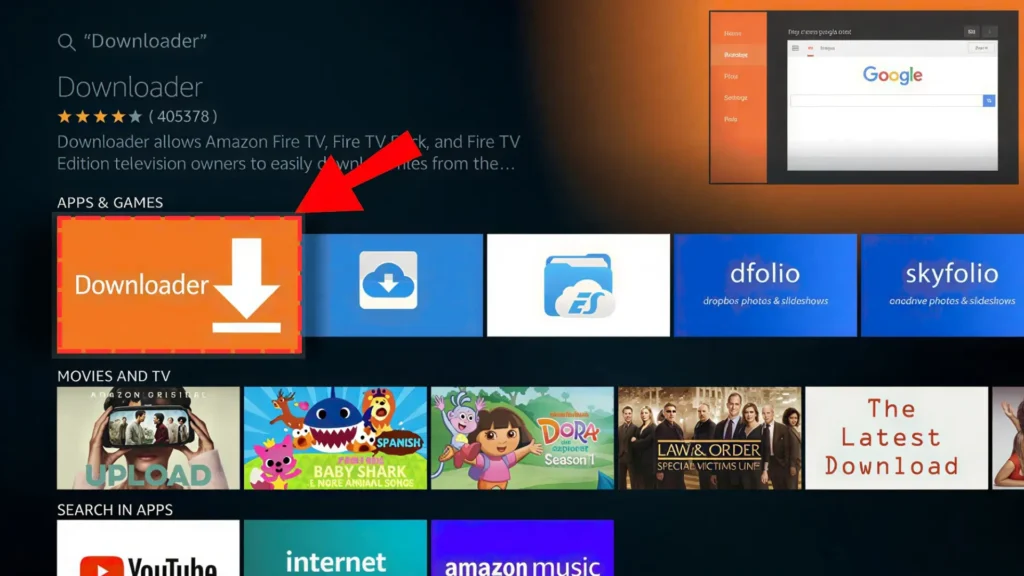
11. Select the Downloader app and click to install it.
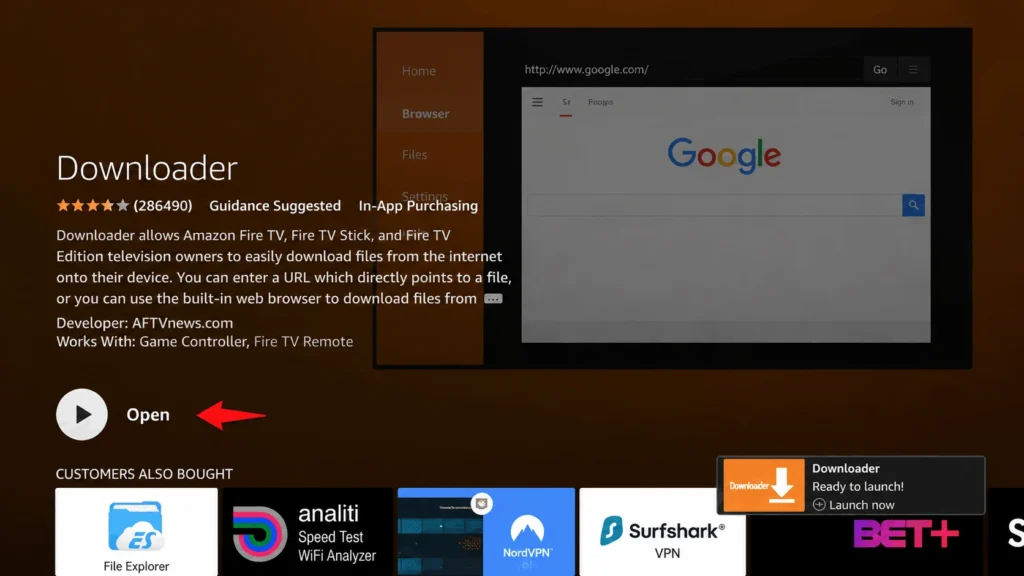
12. Once it’s finishes installing, select Open.
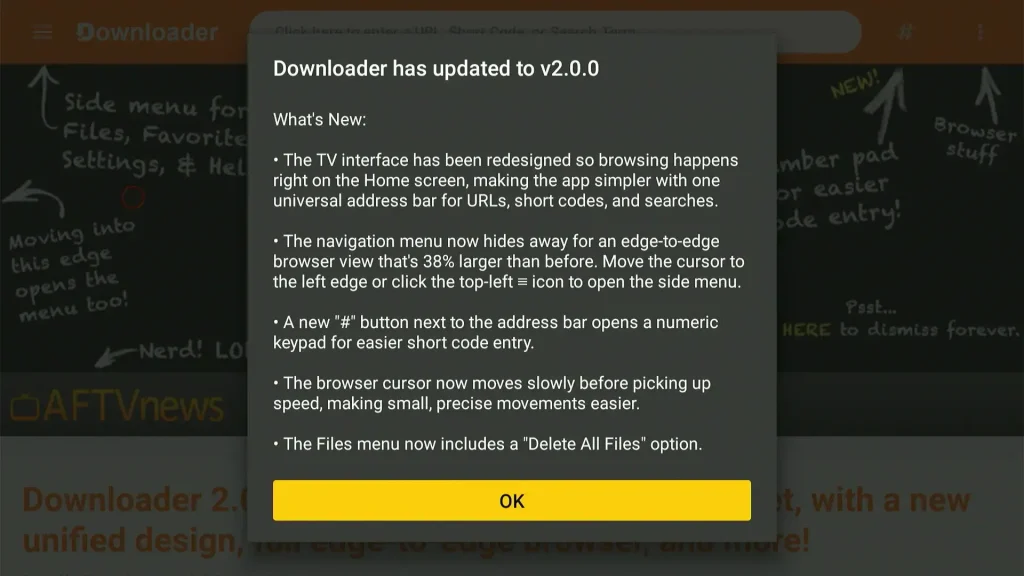
13. You will see a popup option about Downloader app latest update. Click “OK”.
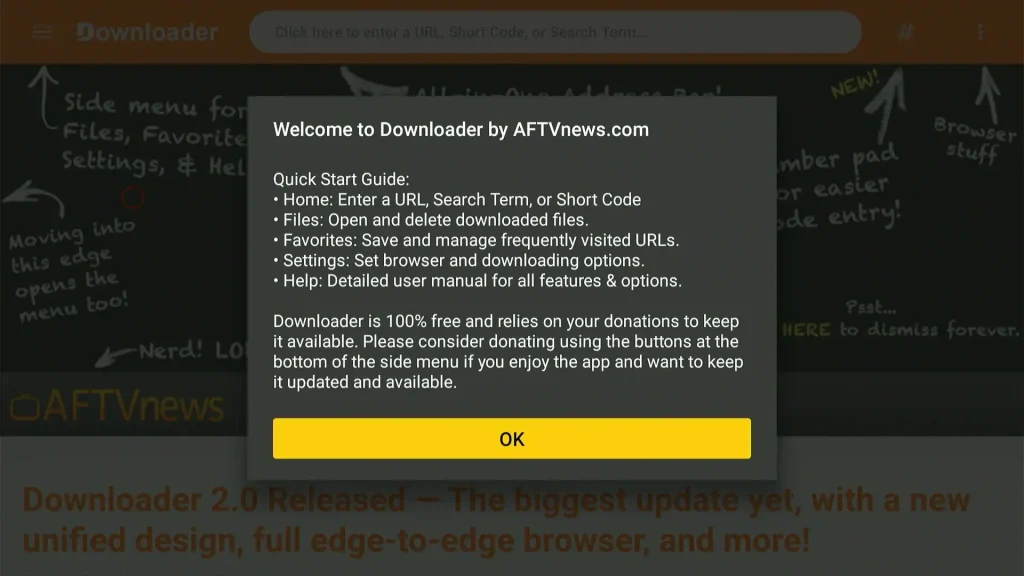
14. Click “OK” again.
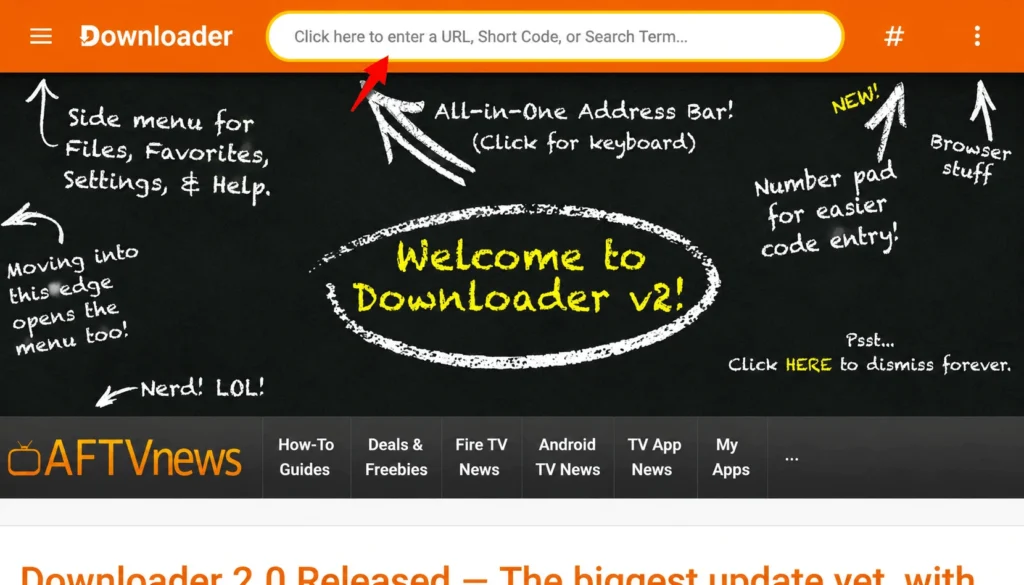
15. In the Downloader app, click the address bar and enter the APK download URL from the button above or short code “730116“.
Can’t Find Cricfy TV After Installing?
Sideloaded apps don’t automatically show up on your Firestick home screen grid.
- Press and hold the Home button on your remote for 3 seconds.
- Select Apps.
- Scroll to the bottom of the list, Cricfy TV will be there.
- Press the Options button on your remote and select Move to Front to pin it to your home screen.
Pros and Cons of Cricfy TV on Firestick
Pros
- No phone or computer needed, works entirely from the remote
- Free, with no login required
- Full HD streaming on your TV
- Works on every Fire TV Stick and Cube model
Cons
- Doesn’t auto-update, needs manual reinstall for new versions
- Sideloaded apps require an extra step to find and pin to the home screen
- Entry-level Firestick models have limited storage for multiple sideloaded apps
What If Cricfy TV Won’t Install or Keeps Crashing on Firestick?
Downloader says Unknown Sources is off
Developer Options wasn’t enabled correctly. Repeat Step 1 and make sure you see the “you’re a developer” confirmation message.
App crashes or freezes
Clear its cache under Settings > Applications > Cricfy TV > Clear Cache. If that doesn’t help, uninstall and reinstall using the latest APK.
Storage full during install
Delete the installation file after setup (Step 3 above), and check Settings > My Fire TV > Storage to see what else might be taking up space.
For anything more specific, our Cricfy TV not working guide covers device-based error messages in more detail.
FAQ
Conclusion
Cricfy TV installs cleanly on Firestick once Developer Options and Downloader are set up, and the whole process only needs to happen once.
If you’re using an Android TV box instead of a Firestick, our Cricfy for Android TV guide covers the slightly different developer-mode steps for those devices. And if you’re on a Samsung or LG TV, our Cricfy for Smart TV guide has the method that actually works there.